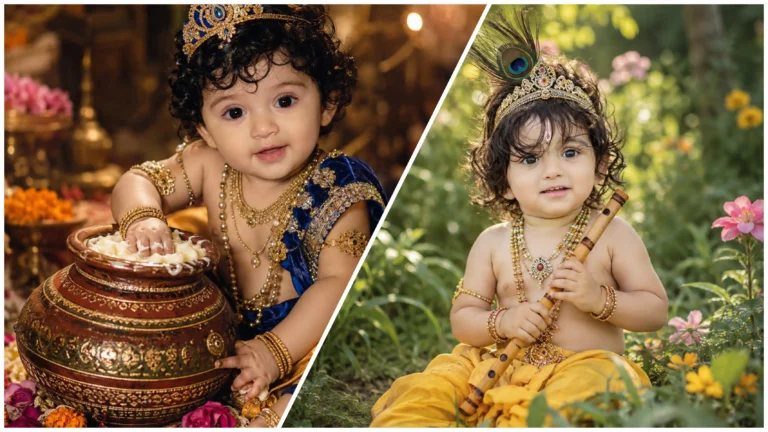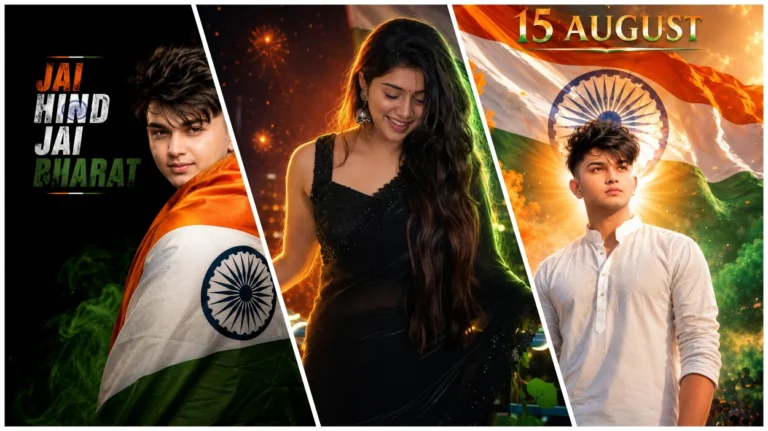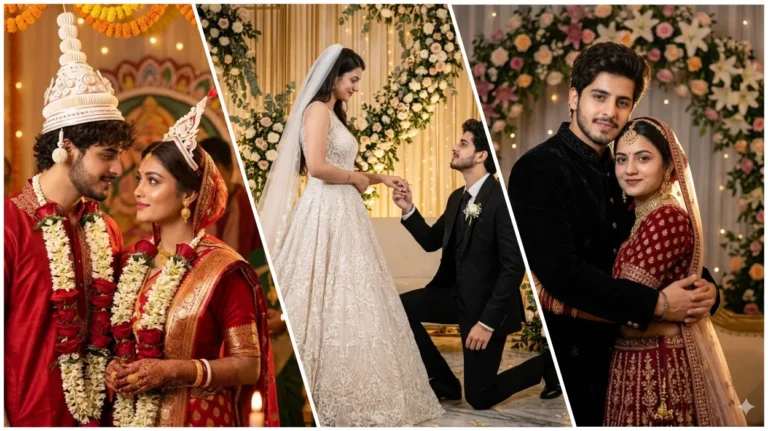
Chatgpt me Mahadev ai prompt ka upyog marke mahadev ke sath ek sandar bhakti se jude photo banana pahale se kahi jyada asan ho gya hai. Kya aap bhi mahadev ke prati bhakti ka ek sundar aur trending photo banana chahte hai? Kya apne kai baar kosis ki hai aur sahi result nahi mila hai?
En dino socail media par mahadev ki ai photo dekhne ko mil rahi hai. kuch log mahadev ke sath apni photo banakar apne social media par share kar rahe hain. Aur yese photo achha lagte hain. Lekin agar ap bhi yese photo banana chahate hai to apko sahi niyam malum hona chahiye.
Es article me mai apko bahut hi asan shabdo me bataunga ki es prompt ka upyog karke mahadev ai photo kaise banaye? Es photo ko banane me apko koi paresani nahi hogi. Yaha tak ki agar apko editing me jyada kuchh nahi malum hai tab bhi ap yese photo bana sakte hai.
Mahadev ai photo editing prompt
Ajkal artificial intelligence (ai) ki madad se koi bhi ai photo banay ja sakta hai. Lekin ai se photo banane ke liye kuchh text ki jarurat hoti hai. Jinhe technology ke Language me prompt kaha jata hai. En prompt ke madad se hi ai photo banata hai. Esliye agar aap mahadev ai photo banana chahate hai to sahi prompt ka upyog kare.
Es post me ham apko mahadev ai photo banane ka sabse asan tarika batane ja rahe hai. Es tarike se aap mahadev ai phogo bana sakte hai. Maine khud hi es tarike ko try kiye hai.
Photo banate samay apko hamesa ek baat ka dhyan rakhna chahiye ki ek achhi quality ka photo yaa reel apke Instagram account ma reach badha sakta hai. Khaskar sawan ke es mahine me, kyoki es samay sab koi bhagwan shiv se related phost kar raha hai.
Ai photo editing ki khasiyat
Ai photo editing ke bahut sari khasiyat hai jo niche doye gaye hai.
- Upyog me asan aur free
- Hd quality
- Ek click me photo edit
- Realistic Result
- Cinematic Lighting
- Cinematic Photo
Pahali baar ai photo banane me kya dikkat ho sakti hai aur eska solution kya hai?
Jab mai pahali baar ai photo banai to prompt sahi nahi tha. Jisme wajah se photo me kai dikkt ayi thi. Jaise ki photo blur ho gai, high quality ka nahi tha, realistic nahi lag rahe the, aur kabhi kabhi sarir thik se nahi banta tha. En sabhi problem ko dekh kar maine tensan nahi liya. Balki prompt me sahi shabd jode jisase prompt jyada powerfull ho gya hai aur photo realistic-looking aur better quality ki bani.
Eska matlab yah hai ki apko ab en sabhi problems ka samna nahi karna padega kyoki hamne aapke liye sahi aur high quality ka prompt diya hai. Lekin ek baat hamesa yaad rakhna agar apko ek baar me sahi result nahi mile to usi prompt se dobara try kar sakte hai.
Diwar par bane bhagwan shiv me photo ke samane khada hona
Pichhe purani diwar par bhagwan shiv ki ek painting bani hai. Aur ek ladka bhagwan shiv ke yaad me uske samne khada hai. Diwar purani hai esliye photo aesthetic lag rahi hai.
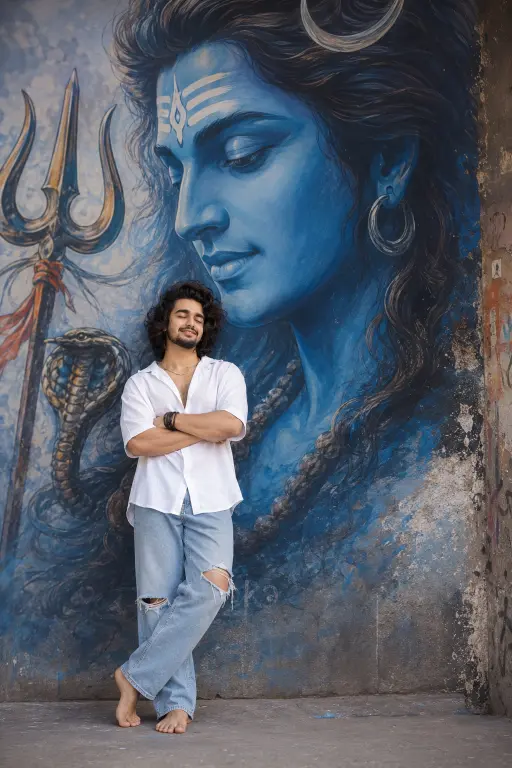
a full-body realistic wide-angle photograph of a stylish young man standing and leaning against a wall with his eyes closed and arms crossed and leg-crossed in a peaceful pose. behind him is a massive, vibrant mural of lord shiva face with looking at him. the man is wearing a loose oversized white bottom-down aesthetic shirt sleeve rolled, light blue wide-leg jeans with ripped knees with barefoot.he has voluminous, messy dark wavy hair with a clean taper fade on the sides.
Kedarnath mandir ke samane selfee
Kedarnath mandir ke samane ek ladka khada hokar selfee le raha hai. Selfee me pura mandir dikhai de raha hai. As pas ke pahad bhi pura dikhai de raha hai jisase phot jyada realistic lag raha hai.
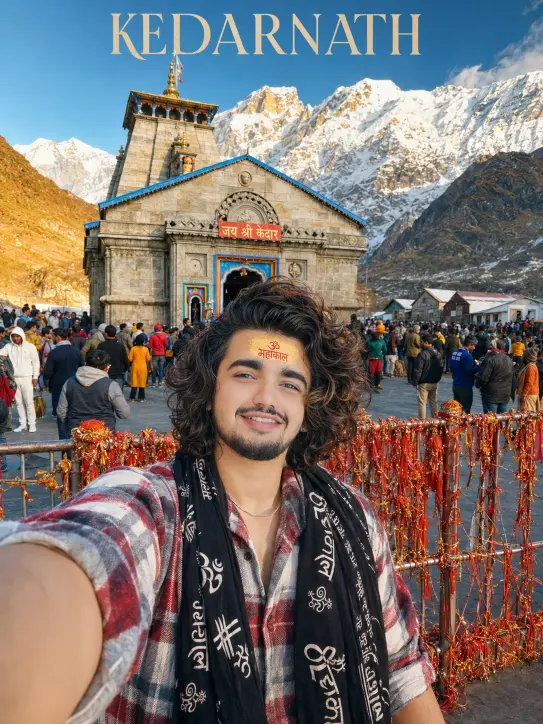
ULTRA-REALISTIC 8K CINEMATIC WIDE-ANGLE SELFIE of a stylish young Indian man (use exact face from uploaded image, perfect identity match) standing in front of the majestic Kedarnath Temple. Voluminous messy dark wavy hair with a clean taper fade, soft smile, and a traditional Tripund tilak with a broad yellow sandalwood paste and bright red “ॐ महाकाल” text on the forehead.
He wears a black shawl printed with white “महाकाल” calligraphy and Om symbols over an oversized red-white-grey plaid flannel shirt with rolled sleeves, open collar, natural fabric folds, and a thin silver chain necklace.
Behind him stands the iconic Kedarnath Temple with the red “जय श्री केदार” sign, decorated barricades wrapped in sacred threads and marigold garlands, a crowd of pilgrims, and snow-capped Himalayan mountains under a clear blue sky. Optional text “KEDARNATH” in elegant cream font at the top.
Shot on a smartphone front camera with a wide-angle lens, arm extended out of frame. Bright natural daylight, warm golden tones, sharp focus on face and tilak, cinematic color grading, HDR lighting, ultra-detailed skin and hair, photorealistic, Instagram-ready, masterpiece quality, 8K resolution.
Aspect Ratio: 3:4
Ultra-realistic keyword ka kya matalab hai?
Ultra realistic – yah prompt me diye gaye usefull shabdo mese ek hai. Yah ai ko yah baat batata hai ki jo photo apko banane ke liye kaha gya hai. Wah bilkul real lagna chahaiye. Matlab ki photo bilkul camera se click kiya gya hona chahiye. Prompt me es shabd ke upyog se scin ki banawat, kapde, skin ki bariki, aur light setup sab kuchh puri tarah se real lagne lagta hai.
Cinamtic keyword ka kya matlab hai?
‘Cinamtic’ keyword ai ko yah batata hai ki photo me lighting setup aur color grading kisi film ki tarah honi chahiye. Es keyword ke wajah se photo ka pura look film ki tarah hota hai. Jo Instagram facebook jaise social media ke liye bahut achhi hai.
Ultra-detailed skin ka kya matalb hai?
Es keyword ka upyog karne se ai chehara badalta nahi hai. Balki chehare ki barikiya, ankh, naak, hoth etyadi par vishesh dhyan rakhta hai.
HDR ka kya kaam hai?
Hdr ka matalb High Dynamic Range hota hai. Esase photo me chamkile aur andhere dono hisso me behatar parinam banaye takhta hai. Jisase photo jyada realistic lagta hai.
Chatgpt me Mahadev ai photo kaise banaye?
Bhagwan mahadev ki bhakti se related sundar aur unique photo banana bahut asan hai. Es post me diye gaye mahadev ai prompt ka upyog karke ap bahut asani se bana sakte hai. Bas niche diye gaye step ko follow kare aur apna photo banana suru kare.
- Es post me diya gya mahadev ai prompt mese kisi ek prompt ko copy kare.
- Eske baad apne phone ya computer me Chatgpt ki app ya official website open kare.
- Ab (+) icon par tap karke apna photo upload kare.
- Ab copy kiya gya prompt ko text box me paste kare aur send kar de.
- Ab kuchh second me apka photo ban jayega fir save kar le.
Final
Mahadev ai prompt ki madad se aap Mahadev Ji ke sath sundar aur realistic ai photo bana sakte hai. Sawan ke es pawan mahine me Mahadev se judi Ai photos logon ko kafi pasand aati hain. Aap bhi Ai prompt ki madad se apni aastha aur bhakti ko ek sundar aur creative photo me badal sakte hai.
FAQ
Kya mai mahadev ai phpto ko free me bana sakta hun?
Haan, kuchh Ai tools mein free option ke through Mahadev Ai photo create kar sakte hai. Lekin free features aur usage limits tool ke according alag ho sakti hain.
Ai photo banane ke liye sabse achha ai tool kaun hai?
Ai photo banane ke liye kaun sa tool behtar hai, yah aapki requirment aur available features par depend karta hai. ChatGPT Au Google Gemini Ai image generate karne ke liye useful option ho sakte hain.
Kya mai ai photo me apna name jod sakta hun?
Haan, aap prompt mein apna naam add karne ki instruction de sakte hain. lekin Ai-generated image mein text spelling bilkul perfect ho, yah zaroori nahi hai.
Kya ai ka upyog karke photo banana safe hai?
Ai photo generate karne ke liye official app ya website ka use karna behtar hai. lekin kisi bhi Ai tool ka use karte samay uski privacy aur terms ko padhna chahiye, khaskar jab aap apna photo upload karte hai.
Kya ai se banaya gya photo high quality ki hoti hai?
Ai-generated phot ki quality prompt, reference image, aur Ai tool paar depend karti hai. detailed prompt aur achhi reference photo ka use karne se result badhiya milte hain.